Technical SEO Checklist for 2026: A Complete Website Audit Guide
A 2026 technical SEO checklist should confirm important pages are crawlable, correctly indexed, and served with proper status codes; that canonical signals point search engines to the right URL; that XML sitemaps and internal linking support discovery; that Core Web Vitals, mobile experience, and HTTPS meet current standards; that structured data accurately reflects page content; and that AI crawlers can access public pages. The goal is business impact, not a perfect audit-tool score.
A technical SEO audit isn’t really a checklist exercise, even though checklists help organize the work. It’s a set of answers to seven underlying questions: Can search engines crawl your important pages? Can they render and understand them? Should those pages actually be indexed? Is the correct URL being treated as canonical? Can authority flow efficiently through internal links? Is the site technically stable for both users and crawlers? And are search engines receiving consistent, unambiguous signals about what matters?
Everything below is organized around answering those questions, in rough priority order, with an eye toward what genuinely moves the needle versus what just generates warnings in an audit tool.
Technical SEO Checklist: Quick Summary
| Area | What to Check | Priority |
|---|---|---|
| Crawling | robots.txt, blocked paths, firewall access | Critical |
| Indexing | noindex tags, X-Robots-Tag, accidental exclusions | Critical |
| Status codes | 200s on important pages, 4XX/5XX cleanup | Critical |
| Canonicals | Self-referencing tags, duplicate consolidation | High |
| Sitemaps | Accurate, current, canonical URLs only | High |
| Internal linking | Orphan pages, click depth, architecture | High |
| Performance | Core Web Vitals, page speed | High |
| Structured data | Accuracy, validation, relevant types | Medium |
| Mobile | Responsive design, content parity | High |
| HTTPS | Valid certificate, no mixed content | Critical |
| International SEO | hreflang correctness (if applicable) | Conditional |
| AI crawlability | robots.txt and firewall access for AI crawlers | Medium |
1. Check Whether Important Pages Can Be Crawled
Crawlability is the first gate. If a search engine (or an AI crawler) can’t request a page, nothing else on this list matters for that page.
Start with robots.txt at yoursite.com/robots.txt. Look for accidental sitewide blocks, disallowed paths that shouldn’t be blocked, and user-agent groups that behave differently than intended. A common, reasonable WordPress configuration looks like this:
User-agent: *
Disallow: /wp-admin/
Allow: /wp-admin/admin-ajax.php

Sitemap: https://example.com/sitemap_index.xml
Don’t copy a robots.txt template blindly from another site or an old project. Rules that made sense for one site’s structure can accidentally block important paths on another. Also check for leftover staging-environment blocks that never got removed after launch, login walls on content meant to be public, and firewall or CDN rules (Cloudflare, a WordPress security plugin, hosting-level WAF) that can block a crawler at the network level even when robots.txt allows it.
It’s worth being precise about what robots.txt actually does: it controls whether a crawler requests a page, not whether that page can be removed from an index it’s already in. A URL blocked in robots.txt can, in some circumstances, still be shown without content if a search engine has other signals about it, since blocking crawling isn’t the same as guaranteeing deindexing. If the actual goal is removing a page from search results, robots.txt disallow isn’t the right tool for that job.
For a breakdown of which crawlers matter beyond traditional search engines and how to configure access for each, see Verixo’s AI crawlability guide.
2. Review Indexability
A page can be perfectly crawlable and still be excluded from search results by an indexing directive. The two mechanisms to check are the meta robots tag and the X-Robots-Tag HTTP header, both of which can carry a noindex instruction.
Common places noindex shows up unintentionally: category or tag archive pages a plugin defaults to noindex, utility pages (search results, cart, checkout confirmation) that legitimately shouldn’t be indexed, staging or development environments where a global noindex was never removed after launch, thin or auto-generated pages with little unique content, and parameter-driven URL variants.
Not every noindex is a mistake. Thin utility pages, duplicate parameter combinations, and genuinely low-value pages are often better kept out of the index deliberately. The problem is noindex applied by accident to pages that should be discoverable.
Mini indexability checklist:
- Homepage and main navigation pages return no noindex signal
- Service/product pages are not accidentally noindexed
- Category and tag archives have a deliberate, reviewed indexing decision
- Staging or development noindex settings were removed after launch
- X-Robots-Tag headers match the intended indexing status
3. Check HTTP Status Codes
Status codes tell search engines and browsers what happened when a URL was requested. A mismatch between what a status code says and what a business intends is a common source of technical problems.
| Status | Meaning | SEO Action |
|---|---|---|
| 200 | Request succeeded | Expected for all live, intended pages |
| 301 | Permanent redirect | Appropriate for permanently moved content |
| 302 | Temporary redirect | Use only for genuinely temporary moves |
| 404 | Not found | Expected for genuinely removed content with no replacement |
| 410 | Gone (permanent) | Use when content is intentionally and permanently removed |
| 429 | Too many requests | Investigate; can prevent reliable crawling if frequent |
| 500 | Server error | Fix immediately; blocks access entirely |
| 503 | Service unavailable | Fine briefly during maintenance; a problem if sustained |
A redirect itself is not inherently harmful. The real problems are redirect chains (A to B to C), redirect loops, irrelevant redirect targets (sending users and crawlers to an unrelated page instead of a true replacement), and inconsistent targets across a site’s own internal links. Also worth noting: pages returning a non-200 status generally aren’t processed the same way successful pages are, which is one more reason unresolved errors on important URLs are worth fixing quickly.
4. Audit Redirects
Beyond individual status codes, look at redirect behavior across the whole site: chains where one redirect leads to another before reaching the final page, loops that never resolve, inconsistent handling of HTTP versus HTTPS or www versus non-www versions of the domain, and old URLs from a previous site structure or migration that still redirect (or should, but don’t).
Also check that internal links point directly to final destination URLs rather than to a page that then redirects elsewhere. This is a common byproduct of site redesigns: internal navigation still links to old URLs that now bounce through a redirect before reaching the current page.
On 301 versus 302: use a 301 for genuinely permanent moves and a 302 only for content that will move back or that’s temporarily relocated. It’s worth being clear that a permanent redirect does not inherently cause a loss of ranking signal simply by being a redirect; the outdated idea that every 301 bleeds away a fixed percentage of authority isn’t an accurate way to think about this. What matters is whether the redirect target is relevant and whether the redirect chain is clean.
5. Review Canonical Tags
Canonicalization tells search engines which version of a URL should be treated as the authoritative one when duplicate or near-duplicate content exists. This comes up constantly: parameter variations, product variants, faceted navigation combinations, paginated series, HTTP versus HTTPS, URL casing differences, and trailing slash inconsistencies can all produce multiple URLs serving essentially the same content.
Every important page should carry a self-referencing canonical tag by default (a page pointing to its own URL as canonical), with cross-page canonicals used deliberately for genuine duplicates.
Here’s the detail that’s often missed: rel="canonical" is a strong signal, not an absolute directive. A site owner’s declared canonical is one input among several a search engine weighs when deciding which URL to actually treat as canonical; the search engine can select a different URL than the one specified if other signals point elsewhere. This is sometimes described as the difference between the “user-declared canonical” and the “Google-selected canonical,” and the two don’t always match.
When they don’t match on an important page, Search Console’s URL Inspection tool is the right place to investigate: it shows which URL Google is actually treating as canonical for a given page, which is often the fastest way to diagnose why a specific page isn’t performing as expected.
6. Audit XML Sitemaps
A sitemap should contain only canonical, indexable, live URLs, no redirects, no 404s, no noindexed pages, and no outdated content that no longer exists. Check that the sitemap index file structure is correct if the site uses multiple sitemap files, and that last-modified dates, where used, reflect genuine content changes rather than being stamped on every crawl regardless of whether anything changed.
Submit the sitemap in both Google Search Console and Bing Webmaster Tools, and keep it current as the site’s URL structure evolves.
It’s worth being direct about what a sitemap does and doesn’t do: it helps with discovery by giving search engines a list of URLs to consider, but it does not guarantee indexing. A URL can appear in a sitemap and still not get indexed if other signals (quality, duplication, crawl budget) point away from it.
A properly maintained sitemap is one of the more mechanical parts of a professional SEO audit, but it’s often skipped or left stale after a site redesign.
7. Fix Internal Linking and Site Architecture
Internal links do four jobs at once: they help search engines discover pages, they provide context about what a page is about (based on surrounding anchor text and linking pages), they distribute authority across a site, and they shape how real users move through a site toward a goal.
A clean architecture groups related content into clear hubs rather than scattering it. A reasonable model:
Homepage → Services → Technical SEO → Supporting technical SEO articles
This kind of hub-and-spoke structure keeps related content close together, gives every page a clear path back to a commercial or category page, and avoids important pages sitting three or four clicks deep with no direct route to them.
Watch specifically for important pages that receive very few internal links relative to their business value, generic anchor text (“click here,” “learn more”) that gives search engines no context, and orphaned sections of a site that grew organically without anyone connecting them back to the main structure.
8. Check for Orphan Pages
An orphan page is a page that technically exists (it’s in the sitemap, it might even be indexed) but has no internal links pointing to it from anywhere else on the site. It can be discovered once, through a sitemap, but it receives none of the ongoing internal-linking support that helps a page get recrawled, understood in context, or found by users browsing the site normally.
Finding orphan pages generally means comparing multiple data sources against each other: the URLs listed in your sitemap, URLs discovered through a crawl of the site’s actual internal links, URLs indexed according to Google Search Console, and landing pages showing up in analytics. A URL that appears in the sitemap or analytics but never turns up during an internal-link crawl is a strong orphan-page candidate.
9. Review Duplicate and Near-Duplicate URLs
Duplicate content at the technical level usually isn’t about copied text; it’s about the same content being reachable through multiple URLs. Common sources: URL parameters (tracking, sorting, filtering), tag archives that overlap heavily with category archives, printer-friendly URL versions, session IDs appended to URLs, internal search result pages, faceted navigation combinations, product variant URLs, trailing slash inconsistencies, and case-sensitivity differences (/Page versus /page).
There’s no single fix that applies to every case. Depending on the situation, the right tool might be a canonical tag pointing to the primary version, a redirect consolidating permanently duplicate URLs, a noindex tag on parameter variations that shouldn’t be indexed at all, cleanup of internal links so they consistently point to one preferred version, or genuine content differentiation when two similar pages actually deserve to exist separately. Applying the same solution to every duplicate-URL problem on a site usually creates new issues.
10. Check Core Web Vitals
Core Web Vitals measure real-world page experience using three metrics: Largest Contentful Paint (LCP), which measures loading speed; Interaction to Next Paint (INP), which measures responsiveness to user interaction; and Cumulative Layout Shift (CLS), which measures visual stability during load.
| Metric | Measures | Good Target | Common Causes of Poor Scores |
|---|---|---|---|
| LCP | Time until the largest visible element renders | Within 2.5 seconds | Unoptimized hero images, slow server response, render-blocking resources |
| INP | Responsiveness to user interactions throughout a session | Under 200 milliseconds | Heavy JavaScript execution, long main-thread tasks |
| CLS | Visual stability as the page loads | Under 0.1 | Images or ads without reserved space, late-loading fonts or content |
These are measured as field data (real visitor experiences, aggregated at the 75th percentile) rather than a single lab test. Lab data from tools like PageSpeed Insights or Lighthouse is useful for diagnosing specific problems, but it’s a simulation, not the same measurement Google uses for the actual Core Web Vitals assessment. The Core Web Vitals report in Search Console and the Chrome UX Report (CrUX) reflect real-user field data; PageSpeed Insights shows both.
Core Web Vitals matter for user experience and are part of how page experience is evaluated, but they shouldn’t be treated as a substitute for relevance, content quality, or authority. A fast page about the wrong topic still won’t rank for a query it doesn’t answer.
11. Review Page Speed Beyond Core Web Vitals
Beyond the three headline metrics, general page speed work still matters for conversions and user experience. Common culprits: large, uncompressed images; unused JavaScript shipped on every page regardless of whether it’s needed; render-blocking CSS and JavaScript; too many third-party scripts (analytics tags, chat widgets, ad scripts) each adding their own connection overhead; unoptimized web fonts; missing or misconfigured caching; slow server response time; no CDN for geographically distant visitors; and images that load eagerly instead of lazily below the fold.
For WordPress specifically, this usually means a caching plugin, an image-optimization plugin converting images to modern formats, and a review of which plugins are adding scripts or styles to every page regardless of relevance. It’s worth saying plainly: don’t strip out functionality your business genuinely needs just to chase a slightly higher PageSpeed Insights score. A working contact form or a genuinely useful interactive tool is worth more than a few extra performance points.
12. Audit JavaScript SEO
This is an area where a lot of circulating advice is outdated. Google has processed and rendered JavaScript for years, and the older claim that JavaScript “automatically” makes SEO difficult isn’t an accurate description of how modern crawling and indexing works.
The genuinely useful things to check are more specific: whether important content is missing entirely from the initial HTML in a way that matters for how the page is understood, whether JavaScript errors prevent the page from rendering correctly, whether resources needed to render the page are blocked, whether pages return non-200 responses that interrupt normal processing, whether client-side logic produces canonical tags that don’t match server-rendered ones, whether critical navigation only becomes available after user interaction a crawler wouldn’t perform, and issues specific to infinite scroll, lazy-loaded content, hydration timing in modern frameworks, and single-page-application routing that doesn’t produce distinct, crawlable URLs for distinct content.
The practical framing: JavaScript itself isn’t the problem. Specific implementation issues that prevent content or navigation from being reliably available are the problem, and they’re worth testing directly (rendered HTML inspection, Search Console’s URL Inspection rendered view) rather than assumed.
13. Review Mobile Experience
Mobile experience checks should cover whether the site is genuinely responsive across device sizes, whether mobile content matches desktop content (no content quietly missing on the mobile version), whether navigation works cleanly on a touch interface, whether tap targets are appropriately sized and spaced, whether interstitials or overlays block content on mobile in a way that frustrates users, mobile page speed specifically, whether forms are usable on a small screen and touch keyboard, and whether structured data is present and consistent on the mobile version of the page.
This is standard practice at this point rather than a special initiative; there’s no need to treat mobile optimization as a separate, dramatic project the way it might have been discussed years ago. It’s simply part of a baseline, well-built site.
14. Check HTTPS and Security
Confirm the entire site runs on HTTPS, not just the homepage, with no mixed-content warnings (HTTP resources loading on an HTTPS page), a valid and current SSL certificate, and consistent redirection from HTTP to HTTPS across every URL pattern the site uses. Also check for insecure third-party resources being loaded, any signs of hacked or injected content, and review Search Console’s Security Issues report for warnings Google has already flagged.
Security here isn’t a separate concern from SEO; it’s part of the trust and accessibility foundation everything else depends on. A site with security warnings or certificate errors creates friction for both users and crawlers before any content-level factor comes into play.
15. Audit Structured Data
Structured data (JSON-LD is the generally recommended format) helps search engines and other systems understand what a page represents. Common relevant types include Organization, Article, BreadcrumbList, Product where applicable, LocalBusiness for location-based businesses, Service-level markup where genuinely relevant, and Person markup for author or founder profiles where appropriate.
It’s important not to overstate what schema does: not every structured data type produces a visible rich result in search, and adding schema is not a guarantee of any particular search appearance. What structured data should always do is accurately represent the visible content on the page; markup describing something not actually present on the page is a policy violation, not just a missed opportunity.
Validate implementations using Google’s Rich Results Test and the Schema Markup Validator, and treat validation errors as something to fix, since broken structured data is sometimes worse than none at all.
Verixo’s AI Visibility & GEO services include a review of entity and structured data signals as part of assessing how clearly a site’s content and organization are represented to both search engines and AI systems.
16. Review Breadcrumbs
Breadcrumbs serve two audiences at once: they help human visitors understand where they are in a site’s hierarchy and navigate back up a level easily, and they reinforce internal linking and structural signals for search engines. A clean example for a services-based site:
Home > Services > Technical SEO
Pairing visible breadcrumb navigation with BreadcrumbList structured data lets both users and search engines read the same hierarchy consistently.
17. Check Image SEO
Image-level checks include descriptive, meaningful filenames instead of generic camera-generated ones, alt text that accurately describes the image for accessibility and context (never stuffed with keywords beyond what actually describes the image), appropriate compression to balance quality and file size, correctly specified dimensions to support layout stability, responsive image delivery for different screen sizes, sensible lazy-loading (excluding the LCP image, which should load eagerly), an image sitemap where a site is especially image-heavy, an accurate og:image for social sharing, and image-specific structured data where relevant, such as for product images.
Alt text in particular should describe what the image actually shows in natural language. Alt text written primarily to target a keyword rather than describe the image is both an accessibility failure and a weak SEO practice.
18. Audit Hreflang for International Websites
This section only applies to sites with genuinely separate language or region-targeted versions of their content. Checks include correct language-region codes (following the standard ISO format), reciprocal hreflang tags (every page in a set referencing every other page, including itself), a consistent self-reference tag on each version, compatibility between hreflang and canonical tags (they shouldn’t contradict each other), correct use of x-default for a fallback version where appropriate, and confirming hreflang tags don’t point to URLs that themselves redirect elsewhere.
Sites without genuine international or multilingual variants don’t need hreflang at all, and adding it without a real use case just adds complexity with no benefit.
19. Review Pagination, Filters, and Faceted Navigation
This matters most for e-commerce sites, large content directories, and marketplaces where filtering and faceted navigation can generate enormous numbers of URL combinations. Left unmanaged, this can produce what’s often called crawl explosion: far more URLs than a site actually needs indexed, most of them near-duplicates of each other varying only by filter combination.
Review which filter and facet combinations genuinely deserve to be indexable category-style pages (a real, search-worthy combination like “blue running shoes”) versus which should be handled through parameter handling, canonical tags pointing back to a base category, or noindex on low-value combinations. Internal linking should guide crawlers toward the combinations that matter rather than linking indiscriminately to every possible filter permutation.
Verixo’s e-commerce SEO services cover this kind of category and faceted-navigation architecture work specifically for online stores.
20. Check Google Search Console Indexing Reports
The Pages report in Search Console lists specific reasons pages aren’t indexed: Excluded by ‘noindex’ tag, Page with redirect, Crawled – currently not indexed, Discovered – currently not indexed, Duplicate without user-selected canonical, Alternate page with proper canonical tag, Not found (404), and Server error (5xx), among others.
Not every URL showing up as “not indexed” represents a real problem. Plenty of these statuses are entirely correct: a redirect showing as “page with redirect” is working as intended, and a duplicate parameter URL correctly deferring to a canonical is functioning properly. The useful exercise is filtering for URLs that should be indexed, matching them against these statuses, and investigating only the genuine mismatches rather than treating every line in this report as an action item.
21. Use URL Inspection for Priority Pages
For a site’s most important pages, individually check URL availability, current crawl status, whether indexing is allowed, which canonical URL Google has actually selected, the date of last crawl, the rendered version of the page as Google sees it, and any structured data detected.
Request Indexing exists in this same tool but should be used selectively, for pages that are genuinely new, recently and meaningfully updated, or that need attention after a fix. Using it as a routine habit on every page doesn’t meaningfully speed up normal crawling and indexing for most sites.
22. Review Crawl Logs for Larger Sites
For larger or technically complex sites, raw server log analysis reveals things Search Console summaries don’t: exactly which URLs Googlebot (and other crawlers) are actually requesting, the status codes those requests return, how crawl frequency is distributed across the site, where crawl budget is being spent on low-value or unwanted parameter URLs, and patterns of server errors that only show up under real crawl load.
This level of analysis is most valuable for sites with tens of thousands of URLs or more, complex e-commerce catalogs, or sites that have had recurring, hard-to-diagnose indexing issues. For a small brochure site, it’s usually unnecessary overhead.
23. Check 404s and Broken Internal Links
Not every 404 is a problem to fix. A page that was legitimately removed, with genuinely nothing to replace it, returning a clean 404 is expected and correct behavior.
What’s worth fixing: an important page that was accidentally deleted or broken, internal links pointing to a URL that no longer exists, external backlinks pointing at a now-missing page that has real link equity worth preserving, and 404s introduced by a migration or redesign that should have been redirected but weren’t.
Avoid the habit of redirecting every single 404 to the homepage. A generic homepage redirect for unrelated missing content is a poor user experience and doesn’t meaningfully help a visitor who was looking for something specific.
24. Review Website Migration Signals
Around a major migration (domain change, URL structure change, platform change), the checklist includes a complete URL mapping between old and new structures, 301 redirects covering every meaningfully trafficked old URL, canonical tags matching the new structure, an updated and resubmitted sitemap, internal links updated to point to new URLs directly rather than through redirects, Search Console monitoring during and after the transition, and, for domain changes specifically, the Change of Address tool where applicable.
Temporary ranking fluctuations during a significant migration are a normal part of the process while a search engine recrawls and reprocesses the affected URLs; a brief dip isn’t automatically a sign something went wrong, though it’s worth monitoring closely to confirm the fluctuation resolves rather than persists.
25. Check AI Crawler Accessibility
This deserves a careful, factual treatment rather than speculation. Beyond traditional search engine crawlers, a growing set of AI-specific crawlers (used by different AI platforms for search discovery and, separately, potential training use) request access to public web content. Whether a specific AI crawler can access a site depends on the same fundamental layers as traditional crawlability: robots.txt permissions specific to that crawler’s user-agent, firewall or CDN rules that might block it independently of robots.txt, and whether requested pages return successful HTTP responses.
OpenAI’s OAI-SearchBot is one documented example: it’s used to surface websites in ChatGPT’s search features, and OpenAI’s own guidance recommends not blocking it in robots.txt for sites that want to be discoverable there. This is a separate, independently configured setting from GPTBot, which relates to potential training use rather than search discovery.
It’s important to be precise here: confirming AI crawler access removes a technical barrier. It does not guarantee that content will be cited, referenced, or surfaced by any AI platform. That outcome depends on relevance, content quality, and each platform’s own systems, none of which crawl access alone determines.
Verixo’s AI Visibility & GEO services include a review of AI crawler accessibility as part of a broader technical and content assessment; for a deeper breakdown of which specific AI crawlers exist and how to configure access for each, see the AI crawler guide.
Not sure which technical issues actually matter for your site? Verixo SEO can review your crawlability, indexing, site architecture, Core Web Vitals, canonicals, redirects, internal links, and search performance to identify the highest-priority fixes through its technical SEO services.
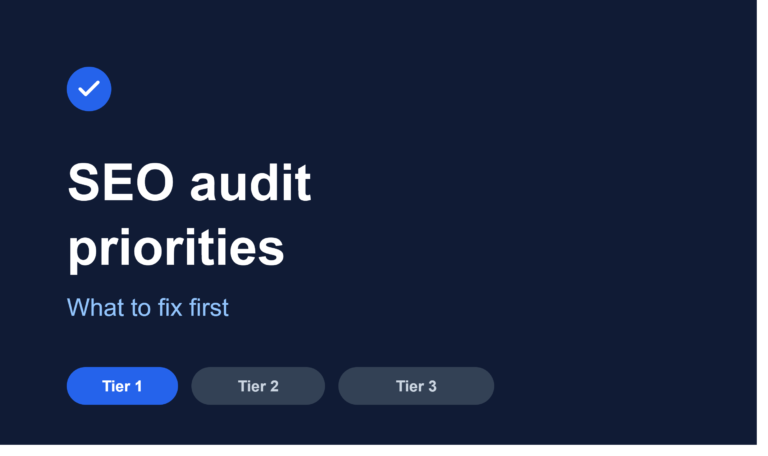
Technical SEO Audit Priority Framework
| Priority | Example Issues | Action |
|---|---|---|
| Critical | Sitewide noindex, robots.txt blocking important content, severe 5XX errors, broken migration redirects, wrong canonical domain, HTTPS failure | Fix immediately; these can remove entire sections of a site from search |
| High | Important pages not indexed, internal orphaning of key pages, redirect chains, duplicate canonical conflicts, serious Core Web Vitals failures | Address in the next work cycle; meaningful, measurable impact |
| Medium | Structured data errors, incomplete image optimization, low-impact 404s, minor architecture inconsistencies | Schedule for ongoing maintenance |
| Low | Cosmetic audit-tool warnings, non-impactful metadata inconsistencies | Address opportunistically; not worth urgent resources |
The organizing principle across all of this: business impact should determine priority, not how many warnings a given issue generates in an automated audit tool. A tool flagging 200 “issues” often means two or three genuinely important problems and a long tail of cosmetic notices that don’t move traffic or revenue.
Technical SEO Checklist for WordPress
- Clean, descriptive permalink structure (not the default
?p=123format) - One SEO plugin active, not multiple overlapping ones
- XML sitemap generated and submitted correctly
- Category and tag archives reviewed for genuine value versus thin content
- Author archive pages reviewed (often unnecessary on single-author sites)
- Attachment pages (auto-generated for uploaded images) checked and typically redirected or noindexed
- Canonical tags correctly generated site-wide
- Caching plugin properly configured
- Image optimization plugin active and converting to modern formats
- Plugin count and script bloat reviewed for unnecessary weight
- Database cleaned of leftover revisions, spam, and orphaned data
- Redirects managed cleanly, without excessive chains
- Schema markup implemented accurately, not duplicated by multiple plugins
- Core security practices in place (updated plugins, strong access controls)
- Regular backups configured
- Staging environment confirmed noindexed, and confirmed that setting was removed after go-live
Don’t disable features or plugins reflexively just because a checklist mentions them; the goal is confirming each one is configured correctly for the specific site, not stripping functionality.
Technical SEO Checklist for E-commerce
- Category pages structured logically, without excessive overlap
- Product pages carry accurate, complete Product structured data
- Facet and filter combinations reviewed for indexability decisions
- URL parameters handled consistently (canonical, noindex, or clean URL structure)
- Product variant URLs (size, color) canonicalized appropriately
- Out-of-stock product handling defined (kept live with clear messaging versus removed, based on business needs)
- Pagination implemented cleanly across category and search-result pages
- Filters link to genuinely useful, distinct pages rather than infinite low-value combinations
- Internal linking connects categories, subcategories, and products logically
- Sitemap includes current, canonical product and category URLs only
- Canonical tags resolve duplicate product listings correctly
This is a substantial technical surface area on its own; Verixo’s e-commerce SEO services focus specifically on this category of work.
Technical SEO Checklist for Local Businesses
- Dedicated location pages for each served area, not one generic page covering everywhere
- Consistent Organization or LocalBusiness structured data
- NAP (name, address, phone) consistency across the website and external listings
- Internal links connecting location pages to relevant service pages
- Mobile experience specifically reviewed, since local search skews heavily mobile
- Contact details accurate, current, and easy to find
- Structured data validated for each location
- Location pages confirmed crawlable and indexable, not accidentally blocked or duplicated
Verixo’s local SEO work, covered within its technical SEO services, addresses this location-specific technical layer alongside broader site health.
Common Technical SEO Myths
Myth: Every 404 must redirect.
Not accurate. Genuinely removed content with no replacement can return a clean 404. Redirecting every 404 to the homepage often creates a worse experience than a well-handled error page.
Myth: A sitemap guarantees indexing.
No. A sitemap supports discovery by listing URLs a site considers important, but indexing still depends on quality, uniqueness, and other signals.
Myth: A canonical tag forces Google to use that URL.
Not entirely. The declared canonical is a strong signal, but Google can select a different URL as canonical based on other signals if they conflict with the declaration.
Myth: JavaScript automatically hurts SEO.
Outdated. Google has processed and rendered JavaScript for years. Specific implementation issues can cause problems; JavaScript itself isn’t inherently harmful.
Myth: A perfect PageSpeed score guarantees rankings.
No. Performance is one factor among many. A fast page with irrelevant or low-quality content still won’t rank well for a query it doesn’t genuinely answer.
Myth: robots.txt removes pages from Google.
Not reliably. robots.txt controls crawling, not indexing removal. A blocked page can, in some cases, still appear without content if other signals exist. Noindex, applied on an accessible page, is the documented mechanism for removal.
Myth: More schema means better rankings.
No. Structured data should accurately describe visible content; adding more markup types doesn’t create a ranking advantage and can create validation problems if implemented incorrectly.
Myth: Every Search Console “Not Indexed” URL needs fixing.
Not necessarily. Many of these statuses reflect correct, intended behavior (redirects, deliberate duplicates deferring to a canonical). Only genuine mismatches, pages that should be indexed but aren’t, need action.
Technical SEO FAQs
What is technical SEO?
Technical SEO is the practice of ensuring a website’s infrastructure, code, and configuration allow search engines to crawl, render, understand, and index its content correctly. It’s distinct from content strategy or link building, though all three work together.
What is included in a technical SEO audit?
A thorough audit covers crawlability, indexability, HTTP status codes, canonicalization, redirects, XML sitemaps, internal linking, Core Web Vitals and page speed, structured data, mobile experience, HTTPS and security, and, increasingly, AI crawler accessibility.
How often should you run a technical SEO audit?
A full audit at least once or twice a year is reasonable for most sites, with ongoing monitoring (Search Console, Core Web Vitals tracking, crawl error alerts) in between, and a dedicated audit after any major site change, redesign, or migration.
Does technical SEO improve rankings?
Fixing genuine technical barriers can meaningfully improve visibility, particularly when the issue was actively blocking indexing or badly harming user experience. Technical SEO alone, without useful content and real authority, won’t produce rankings by itself.
What is the most important technical SEO issue?
Anything actively preventing crawling or indexing of important pages, a sitewide robots.txt block, accidental noindex, or severe server errors, since these can remove entire sections of a site from search results.
What is crawlability?
Crawlability refers to whether a search engine (or other crawler) can successfully request and access a page, governed by robots.txt, HTTP status codes, firewall configuration, and authentication requirements.
What is indexability?
Indexability refers to whether a page that’s been successfully crawled is eligible to be included in a search engine’s index, governed primarily by noindex directives and overall content quality signals.
Do Core Web Vitals affect SEO?
Yes, they’re part of how page experience is evaluated, alongside many other factors. They matter for user experience regardless of any direct ranking weight, since poor Core Web Vitals scores correlate with higher bounce rates and lower conversions.
Do 404 errors hurt SEO?
Not inherently. Legitimate, expected 404s for removed content are normal. Problems arise when important pages are accidentally broken, when valuable backlinks point to missing pages, or when a migration introduces unintended errors at scale.
Is JavaScript bad for SEO?
No, not inherently. Google renders JavaScript broadly. Specific implementation problems, missing content, blocked resources, broken navigation dependent on interaction, can cause real issues, but JavaScript as a technology isn’t automatically a liability.
Does schema improve rankings?
Structured data doesn’t directly boost rankings, but it can improve how search engines understand and display content, sometimes enabling rich results, and it supports clearer entity understanding overall.
Does technical SEO help AI visibility?
Yes, in the sense that AI systems depend on the same underlying crawlability, content clarity, and technical health as traditional search. A technically sound site is better positioned for AI visibility, though technical health alone doesn’t guarantee citation or inclusion in any specific AI-generated answer.
Final Thoughts: Fix Technical Problems by Impact, Not Tool Score
A technical SEO checklist is only useful if it leads to genuinely better outcomes: important pages that are crawlable, correctly indexed, properly canonicalized, fast and usable, well connected through internal links, clearly understandable to both search engines and AI systems, and easy to monitor going forward.
It’s worth resisting the pull toward chasing a perfect score in whatever audit tool happens to be open. A hundred low-impact warnings matter far less than the handful of critical issues actually blocking visibility or costing conversions. Fix by impact, not by warning count.
Find the Technical SEO Issues Holding Your Site Back
Get a practical review of your website’s technical health and identify the issues and opportunities worth prioritizing first.
Get a Free SEO Opportunity Scan
Technical SEO Checklist Summary Table
| # | Area | Key Checks | Priority |
|---|---|---|---|
| 1 | Crawlability | robots.txt, blocked paths, firewall/CDN access | Critical |
| 2 | Indexability | noindex, X-Robots-Tag, accidental exclusions | Critical |
| 3 | HTTP status codes | 200s on live pages, error cleanup | Critical |
| 4 | Redirects | Chains, loops, consistent internal linking | High |
| 5 | Canonical tags | Self-referencing, duplicate consolidation | High |
| 6 | XML sitemaps | Accurate, current, canonical URLs only | High |
| 7 | Internal linking | Architecture, hub structure, anchor text | High |
| 8 | Orphan pages | Cross-reference sitemap, crawl, GSC, analytics | Medium |
| 9 | Duplicate URLs | Parameters, facets, variants, casing | Medium |
| 10 | Core Web Vitals | LCP ≤2.5s, INP ≤200ms, CLS ≤0.1 | High |
| 11 | Page speed | Images, JS, caching, third-party scripts | High |
| 12 | JavaScript SEO | Rendered content, errors, SPA routing | Medium |
| 13 | Mobile experience | Responsiveness, content parity, usability | High |
| 14 | HTTPS/security | Valid certificate, mixed content, warnings | Critical |
| 15 | Structured data | Accuracy, validation, relevant types | Medium |
| 16 | Breadcrumbs | Navigation clarity, BreadcrumbList schema | Medium |
| 17 | Image SEO | Alt text, compression, filenames | Medium |
| 18 | Hreflang | Correctness (international sites only) | Conditional |
| 19 | Pagination/facets | Crawl efficiency, indexable combinations | High (e-commerce) |
| 20 | GSC indexing reports | Prioritize genuine mismatches only | High |
| 21 | URL Inspection | Priority pages, selective Request Indexing | Medium |
| 22 | Crawl logs | Larger/complex sites only | Conditional |
| 23 | 404s/broken links | Important pages and backlink targets only | Medium |
| 24 | Migration signals | URL mapping, redirects, monitoring | Critical (during migration) |
| 25 | AI crawler access | robots.txt, firewall, HTTP responses | Medium |