
Clean Your Technical SEO Issues Before You Do Anything Else
Good content on a broken site still loses. If Google can’t crawl your pages properly, or your site loads too slowly, no amount of writing will fix your rankings. Technical SEO is the foundation. Everything else sits on top of it.
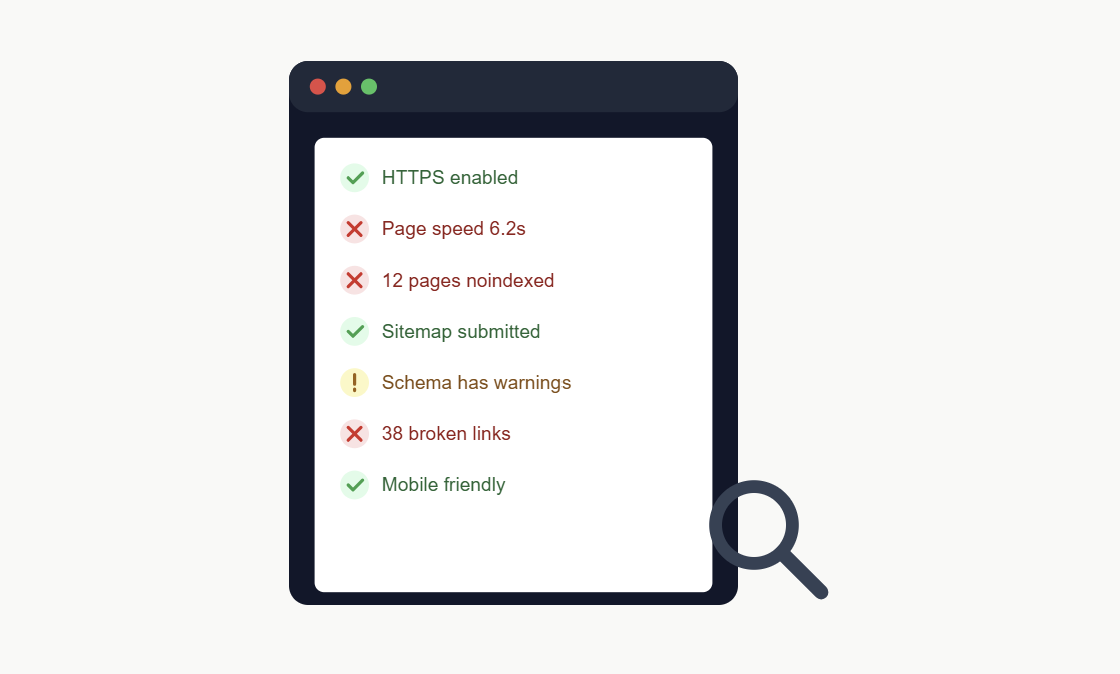
Most sites carry technical issues for years without anyone noticing. Traffic plateaus. Rankings stall. The content team keeps writing, but nothing moves. In most of these cases, the real problem isn’t the content. It’s the technical layer underneath it.
This guide walks through the technical issues that matter most, and how to find and fix them.
Why Technical SEO Comes First

Search engines need three things to rank a page: they need to find it, read it, and trust it loads well for real users. If any of those three steps fail, the page struggles no matter how good the writing is.
Fixing technical issues often produces faster results than content work. A site with a serious crawl problem can see traffic double within weeks of a fix, simply because Google can finally see pages it was missing before.
The Core Technical SEO Checklist
1. Crawlability
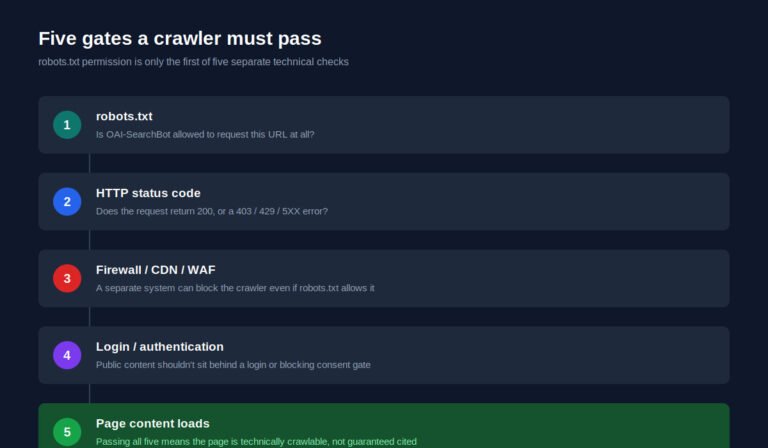
Google can only rank pages it can crawl. Check for:
- Pages accidentally blocked in
robots.txt - Broken internal links that lead to dead ends
- Orphan pages with no internal links pointing to them
- A clean, updated XML sitemap submitted in Search Console
A page with zero internal links pointing to it is nearly invisible to Google, even if it technically exists on the site.
2. Indexation
Being crawlable isn’t the same as being indexed. Check for:
- Pages accidentally marked
noindex - Duplicate content competing against itself for the same keyword
- Thin, low-value pages diluting the site’s overall quality signal
- Correct canonical tags on every page, especially product or filter pages
A site with thousands of thin, near-duplicate pages often ranks worse than a site with a fraction of the pages, because search engines read that pattern as low quality across the whole domain.
3. Core Web Vitals and page speed
Page speed is a confirmed ranking factor, and it directly affects how long visitors stay. Check for:
- Largest Contentful Paint under 2.5 seconds
- Cumulative Layout Shift under 0.1
- Interaction to Next Paint under 200 milliseconds
- Unoptimized images (the single most common speed killer)
- Render-blocking JavaScript and CSS
Most speed problems come from a small number of causes: oversized images, too many third-party scripts, and no caching. Fixing those three usually solves 80% of the problem.
4. Mobile usability
Google indexes the mobile version of your site first, not the desktop version. Check for:
- Text that’s readable without zooming
- Buttons and links spaced far enough apart to tap accurately
- No horizontal scrolling required
- Pop-ups that don’t block the main content on mobile
5. Structured data
Schema markup helps search engines and AI tools understand exactly what’s on a page. Check for:
- Product schema on product pages
- Article schema on blog posts
- FAQ schema on pages with question and answer content
- Errors flagged in Google’s Rich Results Test
Structured data doesn’t guarantee a rich result, but it removes ambiguity. That ambiguity is often what keeps AI tools from citing a page confidently.
6. Site architecture and internal linking
A confusing structure buries good pages. Check for:
- Important pages reachable within 3 clicks from the homepage
- A logical URL structure that reflects site hierarchy
- Internal links using descriptive anchor text, not “click here”
- No internal links pointing to redirected or broken URLs
7. HTTPS and security
- Full site running on HTTPS, not just the homepage
- No mixed content warnings (HTTP resources loading on HTTPS pages)
- Valid, unexpired SSL certificate
How to Find These Issues
You don’t need to check every page by hand. Three free tools cover most of this:
- Google Search Console — shows crawl errors, indexing issues, and Core Web Vitals data straight from Google’s own measurements.
- Google PageSpeed Insights — gives a detailed speed breakdown with specific fixes ranked by impact.
- Google’s Rich Results Test — validates your structured data and flags errors.
Run a full crawl with a tool like Screaming Frog for a complete picture of broken links, redirect chains, and duplicate content across the entire site.
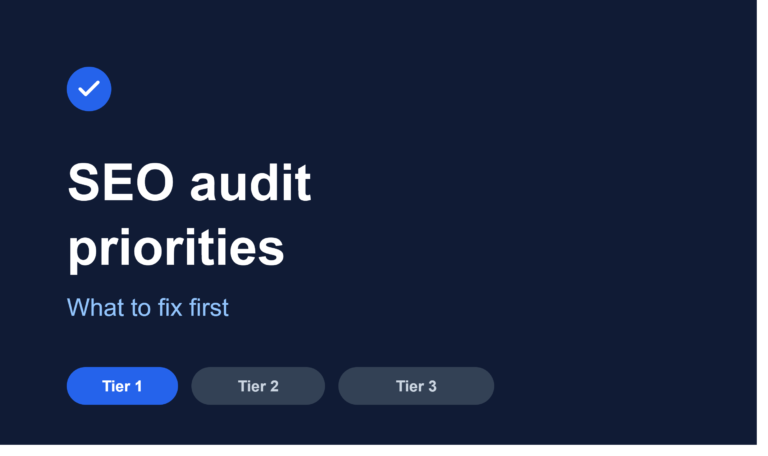
A Simple Priority Order
When you find several issues at once, fix them in this order:
- Indexation blockers (noindex tags, robots.txt blocks) — these hide entire sections of the site
- Crawl errors and broken links — these waste crawl budget and confuse both Google and visitors
- Core Web Vitals and speed — these affect rankings and user experience directly
- Structured data and schema — these improve how the page is understood and displayed
- Internal linking and architecture — these compound over time as more content is added
Fixing indexation issues first usually produces the fastest visible change, because it directly controls what Google can even see.
What Google’s Own Guidance Says
Google has repeatedly said that a technically sound site is a baseline requirement, not a ranking bonus. Their guidance on Core Web Vitals, mobile-first indexing, and crawl efficiency all point to the same idea: a fast, clean, crawlable site removes friction between your content and the person searching for it.
This isn’t a trick or a shortcut. It’s closer to basic maintenance. A site with technical issues is asking search engines to work harder to serve your content, and most of the time, they simply won’t.
A Quick Self-Check
Before your next content push, ask:
- Can Google Search Console crawl every important page without errors?
- Does every page load in under 3 seconds on mobile?
- Are your most important pages reachable within a few clicks?
- Does structured data validate without errors?
- Is the entire site running on HTTPS with no mixed content?
If any answer is no, fix that first. Content built on a broken technical foundation rarely performs the way it should.
The Bottom Line
Technical SEO isn’t glamorous, and it’s easy to skip in favor of writing new content. But a site with unresolved technical issues is leaving performance on the table that no amount of new content can make up for.
Clean the foundation first. Everything you build on top of it, from content to backlinks to AI visibility, works better once the technical layer stops getting in the way.

One Comment