Crawled – Currently Not Indexed: What It Means and When to Fix It
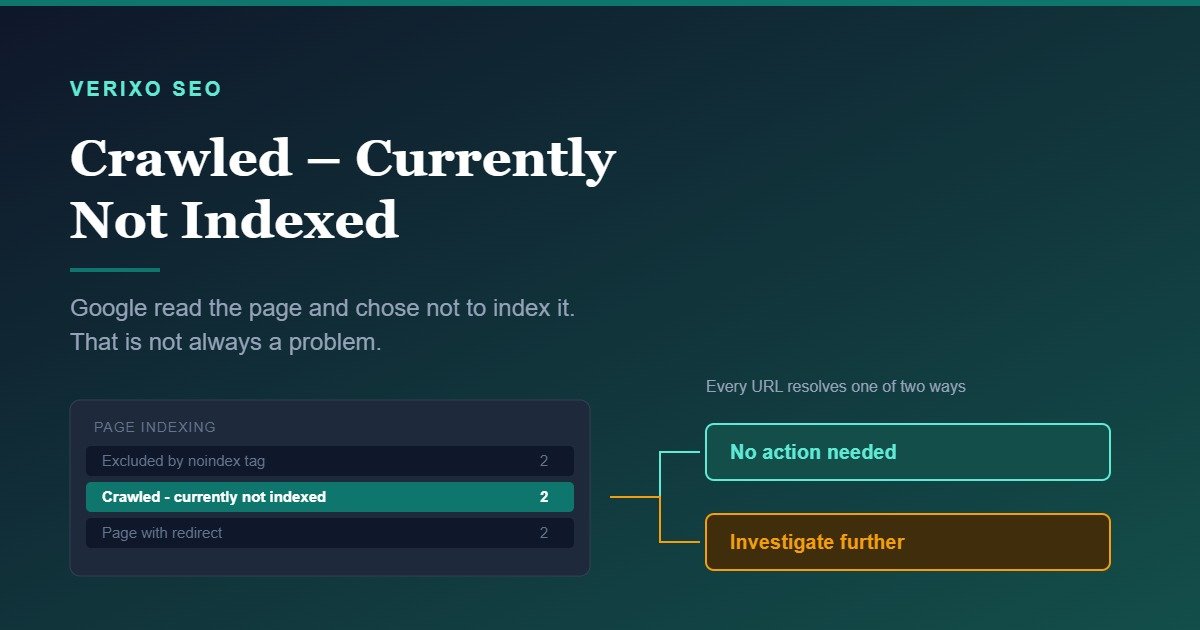
Google visited your page, read it, and decided not to add it to the index. That is what “Crawled – currently not indexed” means in the Search Console page indexing report. It is not a crawl error, not a penalty, and not always a problem. In many cases the correct response is to leave the URL alone. This guide explains how to tell the difference, using a decision framework and a real audit example where the right answer was to do nothing.
What the Status Actually Means
Search Console groups unindexed URLs by reason. This one sits in a specific position in that sequence: Google found the URL, requested it, received a valid response, processed the content, and then declined to index it.
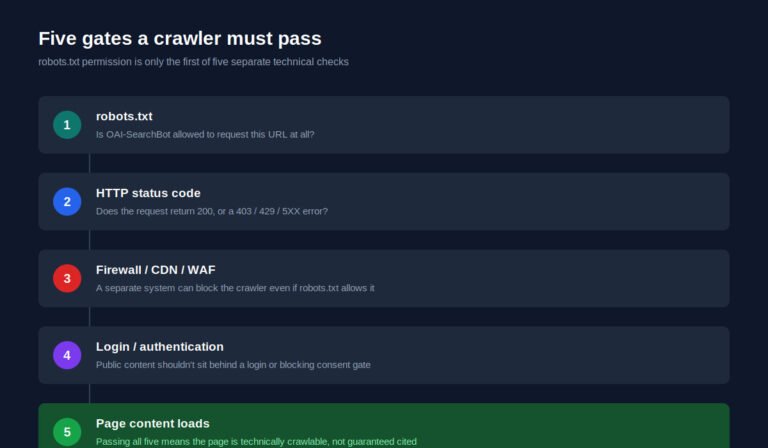
Every earlier step succeeded. Robots.txt allowed the request. The server returned content. There was no redirect, no noindex directive, no canonical pointing elsewhere. The decision happened at the last stage, on quality and value grounds.
That distinction matters because it rules out most of the fixes people reach for first. Resubmitting the sitemap does not address it. Adjusting robots.txt does not address it. The URL was never blocked.
How It Differs From the Statuses Next to It
These four statuses appear together in the same report and get confused constantly.
| Status | What happened | Where the decision was made |
|---|---|---|
| Discovered – currently not indexed | Google knows the URL exists but has not fetched it yet | Crawl scheduling |
| Crawled – currently not indexed | Google fetched and processed it, then declined | Index selection |
| Excluded by noindex tag | You told Google not to index it | Your site |
| Page with redirect | The URL forwards somewhere else | Your site |
The two statuses sourced from your website are your own directives, working as instructed. The two sourced from Google systems are Google’s judgment. You control the first pair directly. You influence the second pair only through the quality and structure of what you publish.
Discovered and Crawled are also different problems despite sounding similar. Discovered usually points to crawl capacity or discovery paths. Crawled points to a value judgment about the content itself.
The Question to Ask First
Before diagnosing why Google declined a URL, ask a prior question: should this URL be in the index at all?
A large share of these URLs are pages that were never meant to rank. Feeds, filtered archives, tag pages, paginated series, auto-generated taxonomy pages. Google declining to index them is the system working correctly, not failing.
Only after you have confirmed a URL genuinely belongs in the index does it make sense to investigate why it was rejected.
A Real Example: When the Answer Was Nothing
Verixo’s own Search Console property showed two URLs under this status during a September 2026 review:
- https://verixoseo.com/feed/
- https://verixoseo.com/category/uncategorized/feed/
Both are RSS feeds generated automatically by WordPress. They are XML, not HTML pages. They contain no unique content of their own, since they syndicate content that already lives on indexable article URLs. No user searching Google would benefit from landing on either.
The correct action was none. Not a redirect, not a noindex tag, not a content expansion. Google’s assessment was accurate, and forcing the issue would have added no value and some risk of confusing the site’s canonical signals.
The same review found four other unindexed URLs on the property. Two were WordPress author archives carrying deliberate noindex tags. Two were trailing-slash variants resolving to their canonical versions through normal redirects. All six URLs in the not-indexed bucket were correct as-is.
This is worth sitting with, because it is the opposite of what most advice on this topic assumes. A site can show six unindexed pages in Search Console and have zero indexing problems.
The Decision Framework
Run each affected URL through these questions in order. Stop at the first one that resolves it.
1. Is this URL a page a searcher should ever land on?
Feeds, JSON endpoints, filter parameters, internal search results, empty tag archives: no. Leave them, or add a noindex directive if you want a cleaner report. Do not redirect them to the homepage.
2. Does an almost identical page already exist on your site?
Two pages built around the same intent compete, and Google frequently indexes one and drops the other. This is cannibalization presenting as an indexing symptom. The fix is consolidation, not resubmission.
3. Does the page contain content that exists elsewhere on the web?
Manufacturer product descriptions, syndicated posts, boilerplate location pages that differ only in the city name. Google has no reason to add a copy to the index.
4. Does the page have real substance for its intent?
This is not about word count. A 300-word answer that fully resolves a specific question can rank. A 2,000-word page that says nothing a reader could not get from the first search result will struggle. Ask whether the page contains information, judgment, or evidence that is not available in the results already ranking.
5. Is the page reachable through internal links?
Orphaned pages, or pages sitting five clicks deep with no contextual links pointing at them, signal low importance. Google’s crawl and index decisions weigh site architecture. If your own site does not treat the page as important, Google has no reason to either.
6. Is the site new or low-authority overall?
On a young domain, Google indexes selectively. Pages that would be indexed immediately on an established site sit in this status for weeks. This is the most common cause on new properties and the one with the least satisfying fix: publish consistently, earn relevant references, and let the domain establish itself.
If a URL clears all six questions and still is not indexed, the issue is usually site-level authority rather than anything specific to that page.
What Not to Do
Do not mass-request indexing. The URL Inspection tool’s request function is for individual URLs after a genuine fix. Submitting a queue of unchanged pages does not change Google’s evaluation and wastes the daily quota.
Do not redirect unindexed URLs to the homepage. This is a common reflex and it makes things worse. It creates soft-404 signals and removes URLs that may be functioning correctly. There are technical issues worth prioritizing, and this is not one of them.
Do not treat the count as a score. Six pages not indexed is not a grade. What matters is whether any page that should be indexed is missing. A site with 40 unindexed feed and archive URLs and every article indexed is healthier than a site with two unindexed URLs where both are service pages.
Do not pad thin pages with filler. If the underlying problem is that a page adds nothing, adding words does not change that. Either give it genuine substance or merge it into a page that has some.
A Practical Diagnostic Sequence
This sits alongside the broader question of where indexing belongs in your audit priority.
- Open the page indexing report and click into the status to see the affected URLs. The report shows examples rather than a complete list on larger sites.
- Sort the URLs into three groups: should be indexed, should not be indexed, and unclear.
- Ignore the second group, or add noindex directives if you want a cleaner report.
- For the first group, run the six questions above and identify the actual cause per URL.
- Fix the cause. Consolidate duplicates, add substance, build internal links, resolve cannibalization.
- Use URL Inspection to request indexing only for URLs you have genuinely changed.
- Re-check in two to four weeks. Index decisions are not instant, and a page can move into the index without any further action from you.
How Long Recovery Takes
There is no fixed timeline, and anyone quoting one is guessing. Reindexing depends on crawl frequency, the size and authority of the site, and how substantial the change was. A meaningfully rewritten page on a frequently crawled site may be reconsidered within days. The same change on a new site with few external references may take considerably longer.
Track the affected URLs in the page indexing report rather than checking site: queries, which are unreliable for this purpose.
When This Status Points to a Real Strategy Problem
Individual URLs in this bucket are usually routine. A pattern is not.
If most of your blog posts sit in this status, the issue is content quality or site authority, not a technical setting. If your product or service pages are affected, that is a commercial problem worth treating urgently. If newly published pages consistently land here and stay, your site is not yet earning enough trust for Google to index it on sight.
Those are three different problems with three different solutions, and none of them is found in the Search Console interface. They are found by looking at what you are publishing, how it is structured, and who is referencing it. If your report is showing a pattern like this and you are not sure which of the three you are looking at, that is exactly the kind of question a proper SEO audit answers, by separating the URLs that need work from the ones that are fine as they are.
Frequently Asked Questions
Is this status a penalty?
No. It is an index selection decision, not a manual action or algorithmic penalty. Manual actions appear in the Security and Manual Actions section of Search Console, not in the page indexing report.
Will requesting indexing fix it?
Only if you have changed something first. Requesting indexing asks Google to re-evaluate the page. If the page is identical to the version Google already declined, the outcome will usually be the same.
Can a page move out of this status on its own?
Yes. Google re-evaluates over time, and pages are sometimes indexed later without any change from the site owner. This is especially common on new domains as overall trust develops.
Does having pages in this status hurt my other rankings?
Not directly. A page not being indexed does not penalize your indexed pages. Large-scale patterns of thin or duplicate content can affect how a site is assessed overall, but the status itself is a symptom rather than a cause.
Should I add noindex to pages Google already declined to index?
Only if you have decided the page genuinely should not be indexed. It does not persuade Google to reconsider anything, but it makes your reports cleaner and prevents the URL from being reconsidered later.
Get a Free SEO Opportunity Scan
If your indexing report has more URLs in it than you can confidently diagnose, we can go through it with you and separate the real issues from the noise. Get a Free SEO Opportunity Scan.